

Orphaned Record Cleanup Utility

|
Purpose |
Identify and review orphaned client and attachment records, then remove selected records when authorized. |
|
Who should do this |
CAREWare administrators and designated database support staff with Central Administration access. |
|
Use this setup when |
Investigating records whose related client or attachment is missing, after confirming a backup and the cleanup scope. |
|
Main warning |
Cleanup can delete selected orphaned records. Verify selections and maintain a recoverable database backup before running cleanup. |
|
Video walkthrough |
Quick path
Central Administration > Administrative Options > Server Management > Orphaned Record Cleanup Utility
|
Important Users often get an error, Error in the Application, when running exports or reports, in which the results would include an orphaned client record or orphaned attachment document. |
Before you begin
• Confirm that a recent, restorable database backup exists and coordinate the cleanup with the database administrator.
• Review the orphaned client and attachment lists before selecting records; distinguish missing references from legitimate client data.
• Use a maintenance window and avoid concurrent imports or client maintenance during cleanup.
|
Important The utility displays orphaned client and attachment records separately. Orphaned records lack any connection to a provider. Once the records are orphaned, there are no options in the CAREWare user interface to attach them to a provider to acquire access. |
Open the cleanup utility
Step 1. Sign in to Central Administration and click Administrative Options.
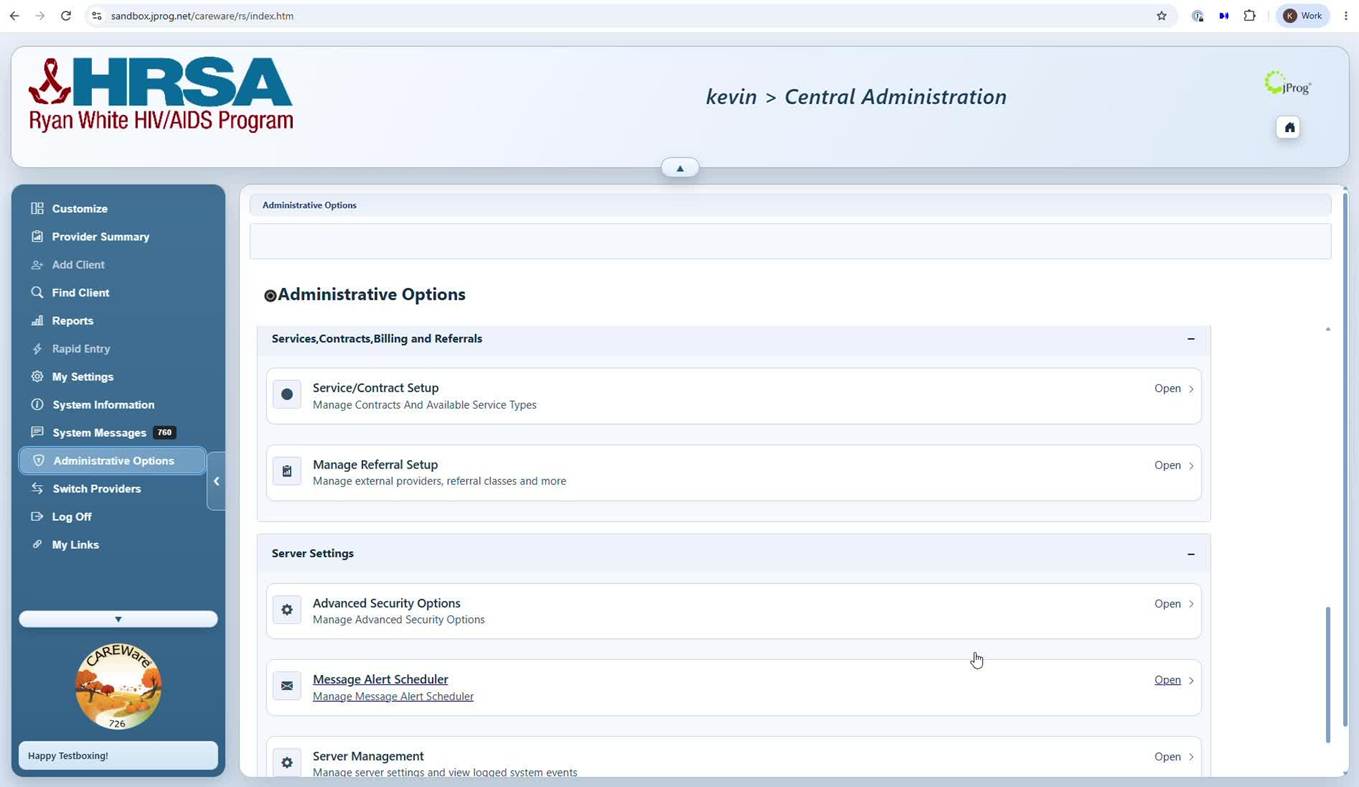
Step 2. Open Server Management.
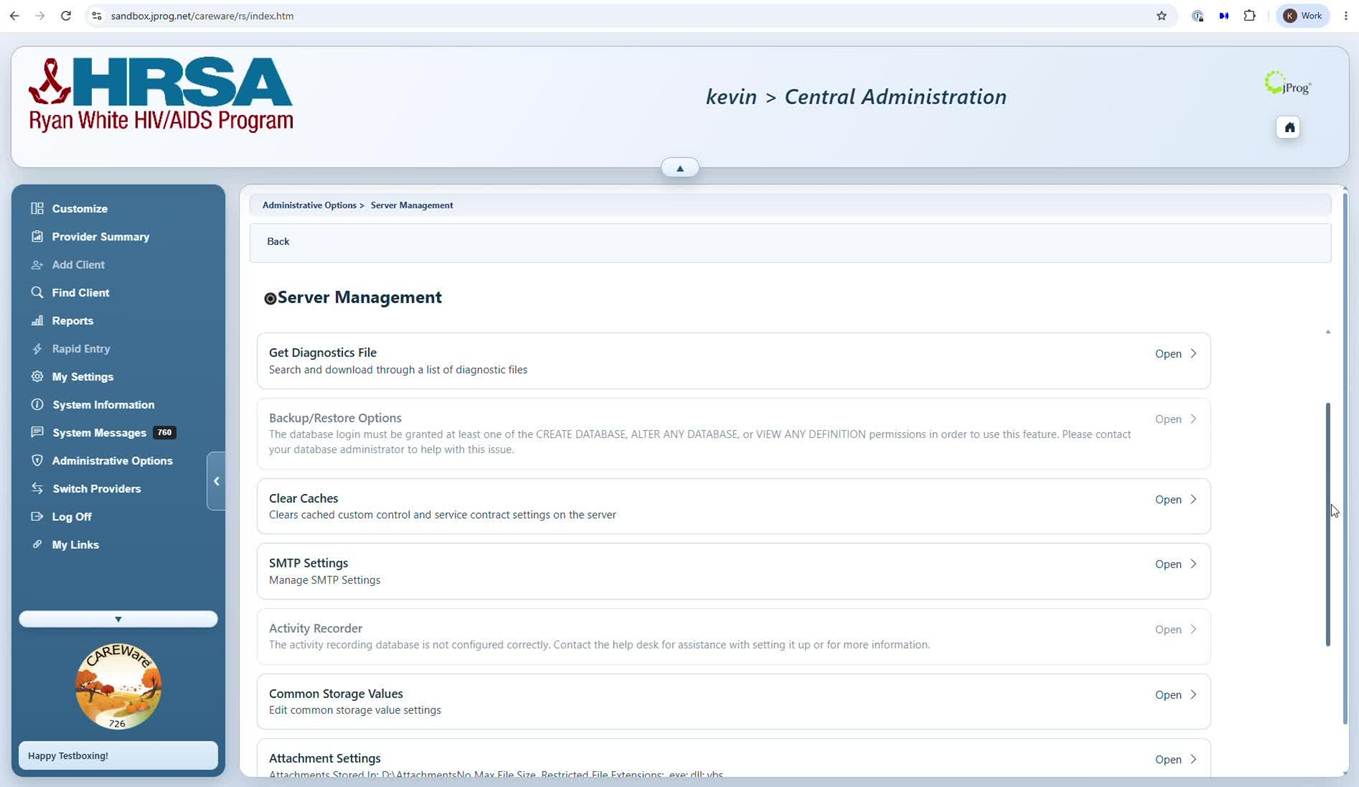
Step 3. Select Orphaned Record Cleanup Utility from Server Management.
Review orphaned clients
Step 4. Review the View Orphaned Client List.
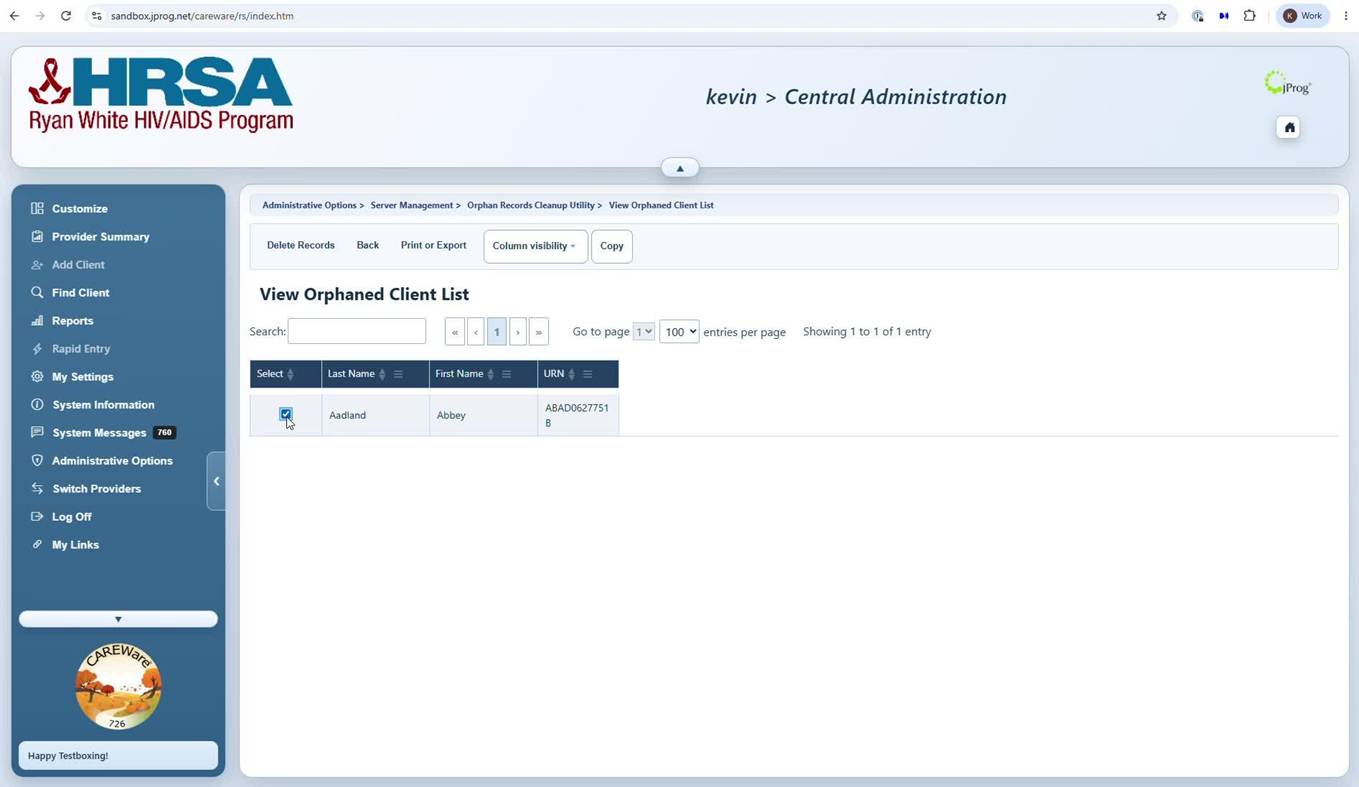
Step 5. Select the orphaned records to be deleted.
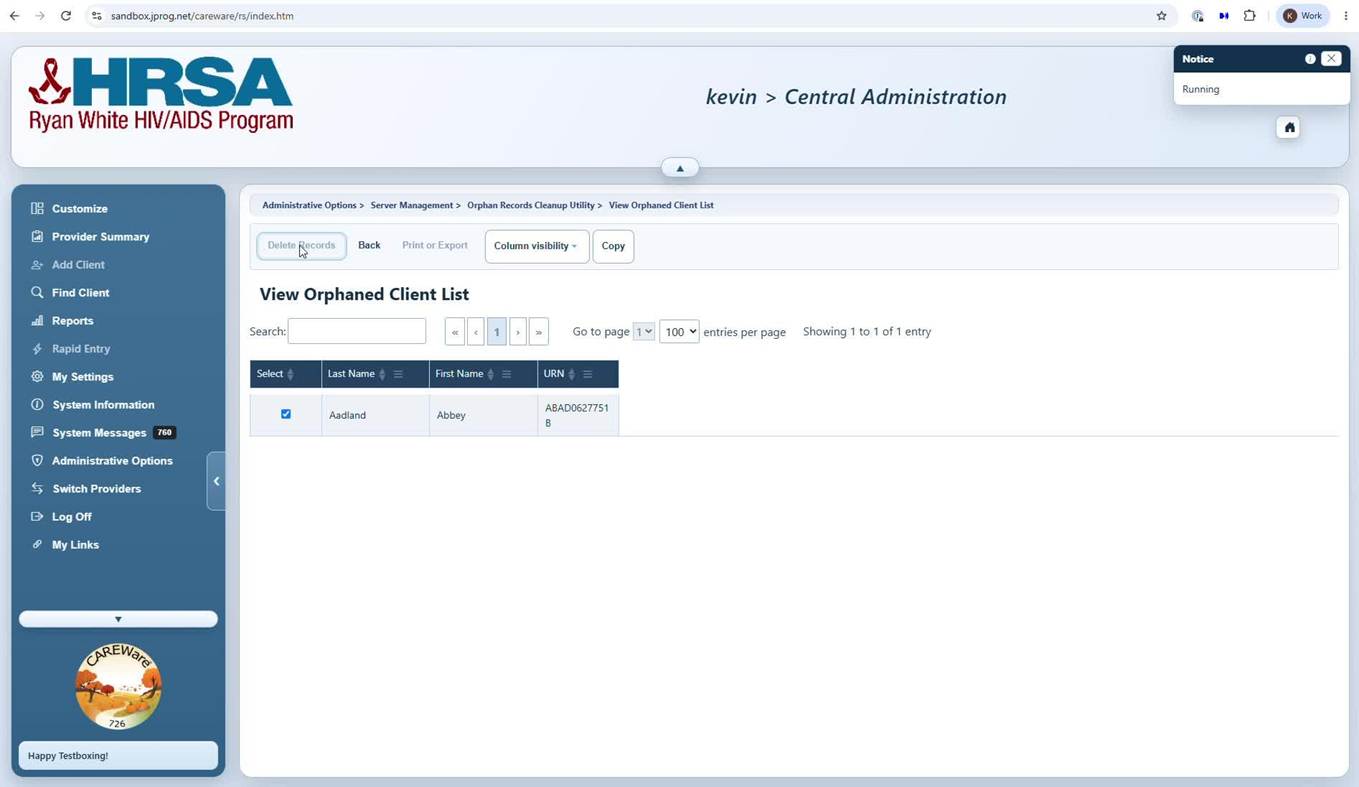
Step 6. Click Delete Records.
Review orphaned attachments
Step 7. Switch to View Orphaned Attachment List and inspect the attachment information, including the related client and stored file details.
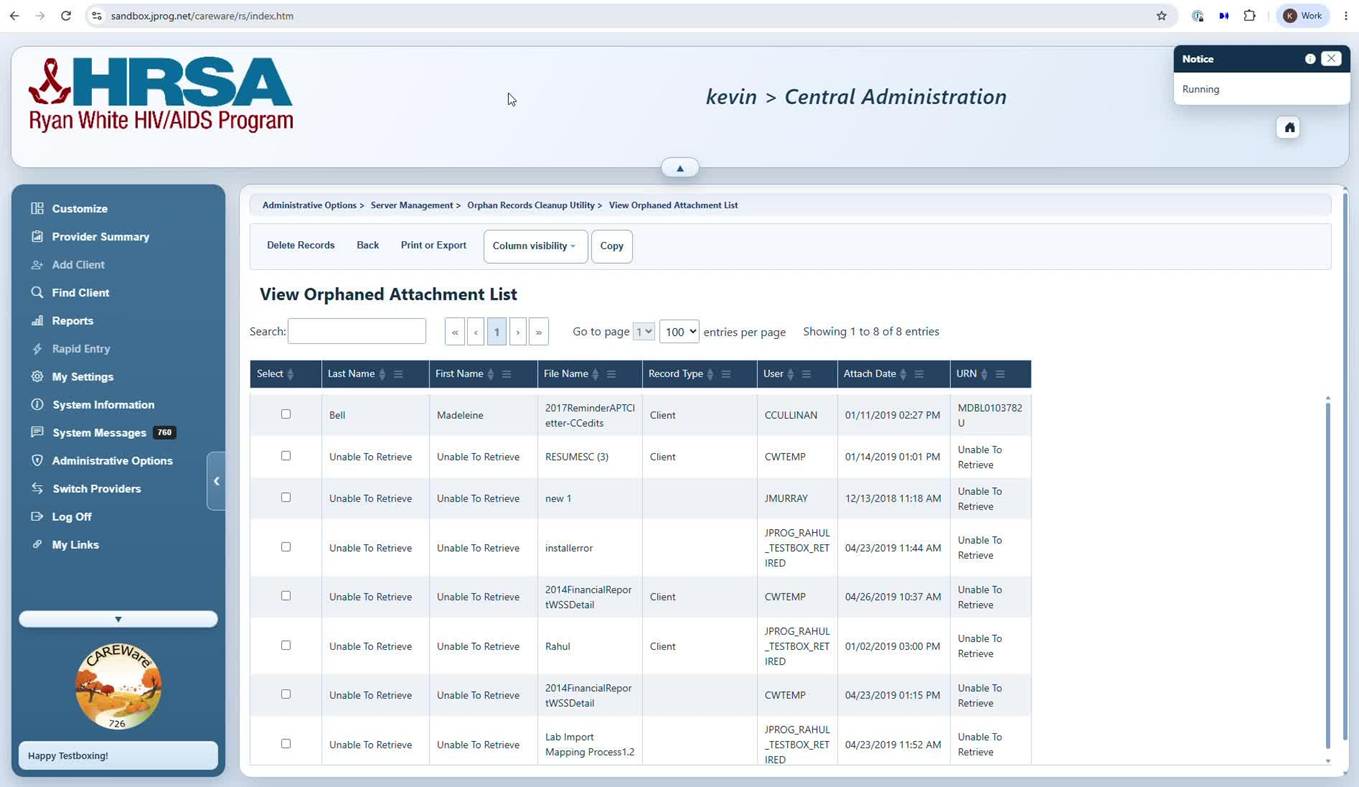
Step 8. Use the checkboxes to select the intended orphaned attachment records to be deleted. 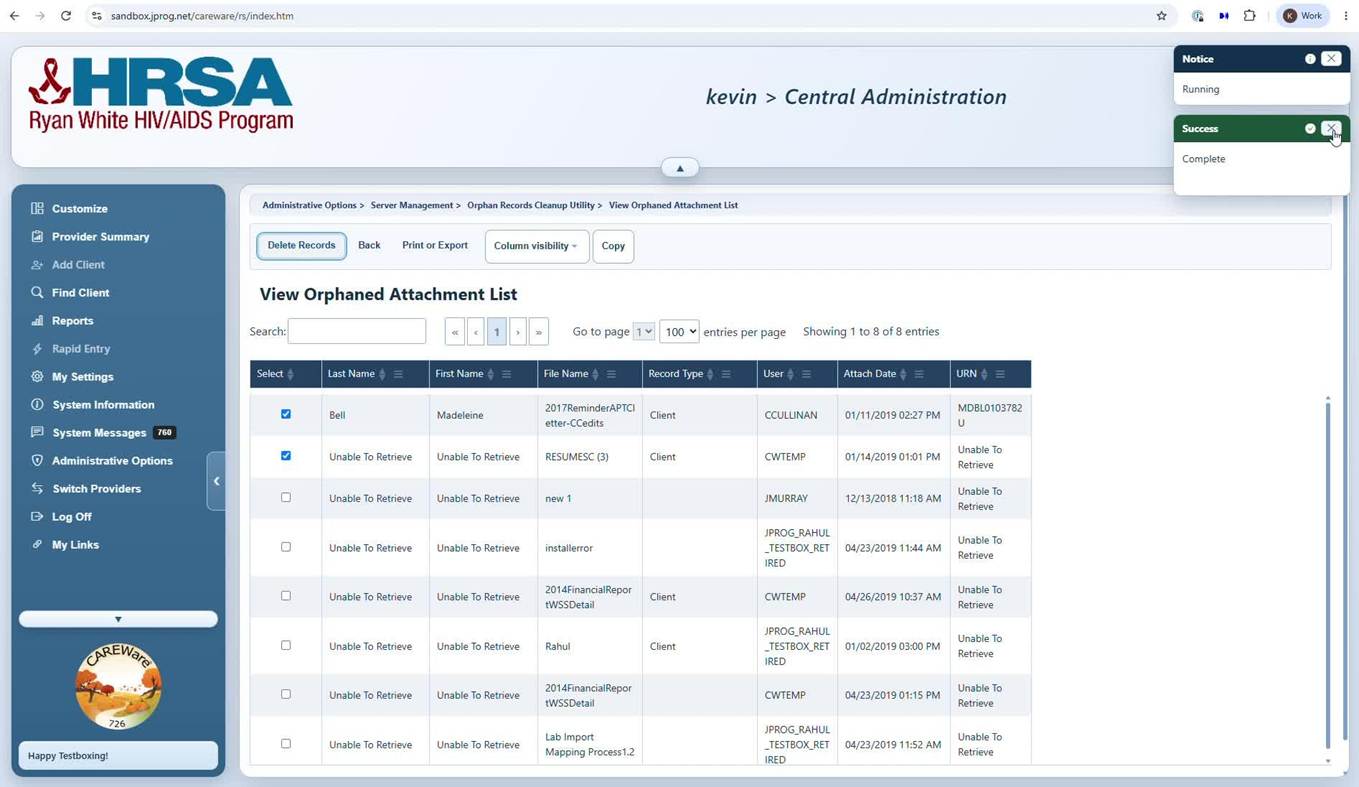
Step 8. Click Delete Records.
How to confirm it worked
• Refresh the applicable orphaned-record list and confirm the selected entries are no longer present.
• Confirm that unrelated client records and valid attachments remain available.
• Complete the export or report operation that produced the error.
Utility controls
|
Control |
What it does |
When to use it |
|
View Orphaned Client List |
Displays orphaned client entries. |
Review client-related orphaned records. |
|
View Orphaned Attachment List |
Displays orphaned attachment entries. |
Review attachment-related orphaned records. |
|
Search |
Filters the displayed list. |
Locate or verify specific entries. |
|
Select checkbox |
Marks a row for an available action. |
Choose only verified records. |
|
Column visibility |
Shows or hides grid fields. |
To change the visibility of column headers |
|
Print or Export |
Outputs the displayed grid. |
Print the list of records for review prior to deletion |
Helpful data-quality tips
|
Tip Export or document the affected record list before deletion. Compare it with the post-cleanup list to support audit review. |
|
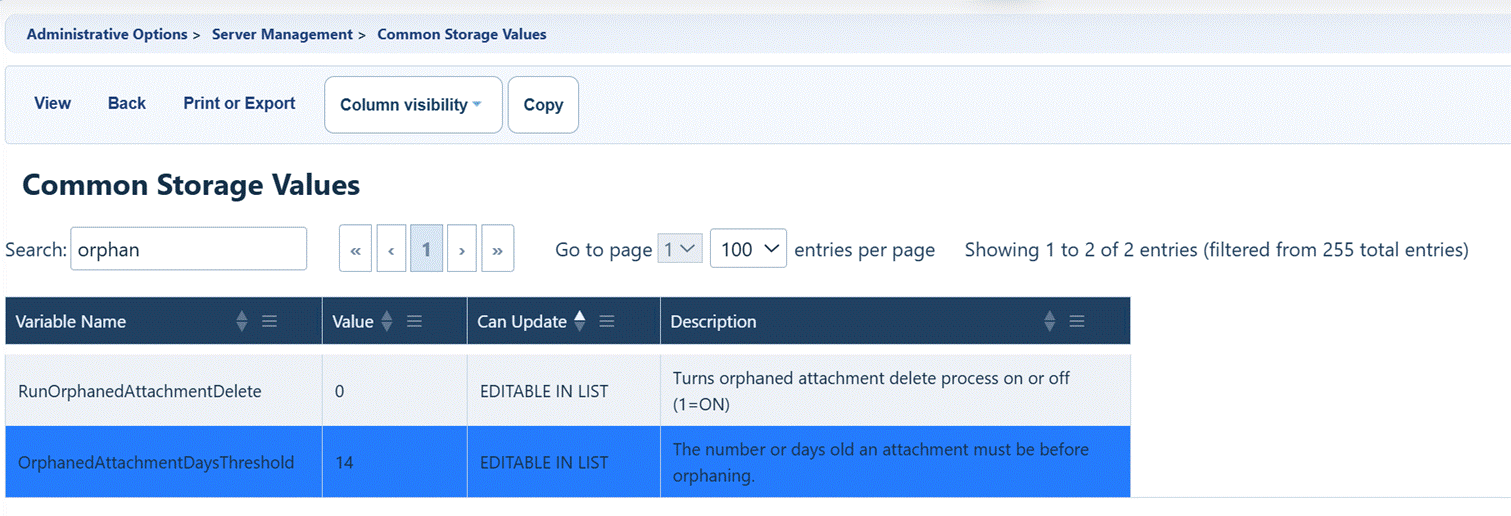
Important The separate Run Orphaned Attachment Delete setting performs scheduled cleanup of missing attachment references; do not confuse it with manually reviewing records in this utility. |
Troubleshooting and common questions
Why is the list empty?
There may be no orphaned entries in the selected view. Refresh and check the other list.
Why does cleanup not complete?
Check the status indicator, permissions, and relevant server logs; contact support before repeating an uncertain operation.
What if a valid record appears?
Verify if an existing client record was merged under the Client Merge History section for the Central Client Merge feature. It is likely the existing client is intact and the orphaned record is a residual record from that merge process or part of an incomplete delete process.
Related CAREWare guides and resources
|
Resource |
How it helps |
|
Backup and recovery procedures. |
|
|
Orphaned attachment handling and storage settings. |
|
|
Displays clients that were merged in the past. |
|
|
Server level settings that may affect how client records are handled |


