Author: Jennifer Eggerton
Last updated: Jul 28, 2026
 678
views
678
views
|
Purpose
|
Manage HRSA-defined and custom funding sources used by CAREWare contracts.
|
|
Who should do this
|
CAREWare Central Administration staff or authorized provider-domain administrators.
|
|
Use this guide when you need to
|
Understand funding-source behavior or add a custom/provider-specific funding source.
|
|
Main warning
|
Contract funding choices affect how providers, services, and clients are represented in HRSA reports.
|
|
Quick path
Administrative Options > Service/Contract Setup > Funding Source Manager > Add
|
|
Reporting impact
A provider can be considered funded by a selected contract funding source even when no client services are allocated to that source. Review contract dates and funding designations in Contract Manager carefully before service entry.
|
Adding a Funding Source to CAREWare
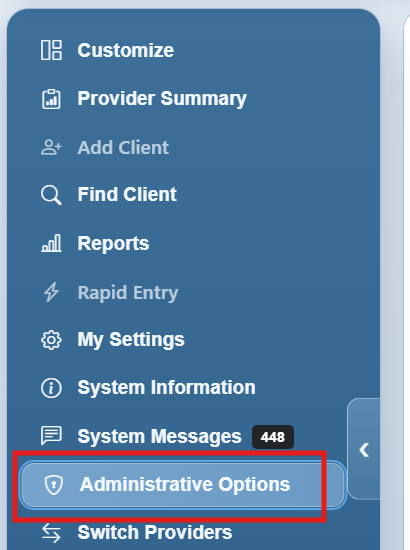
Step 1. Log into Central Administration and click Administrative Options.
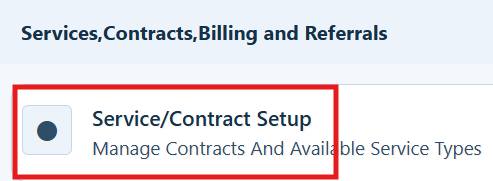
Step 2. Click Service/Contract Setup.
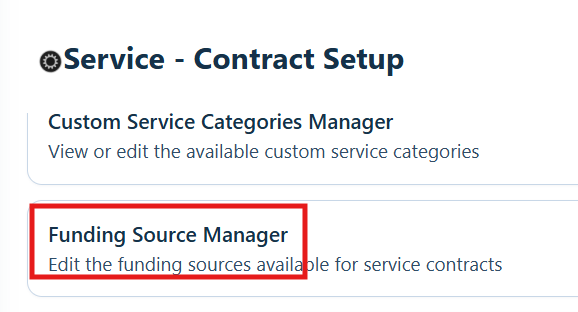
Step 3. Click Funding Source Manager.
Step 4. Click Add.
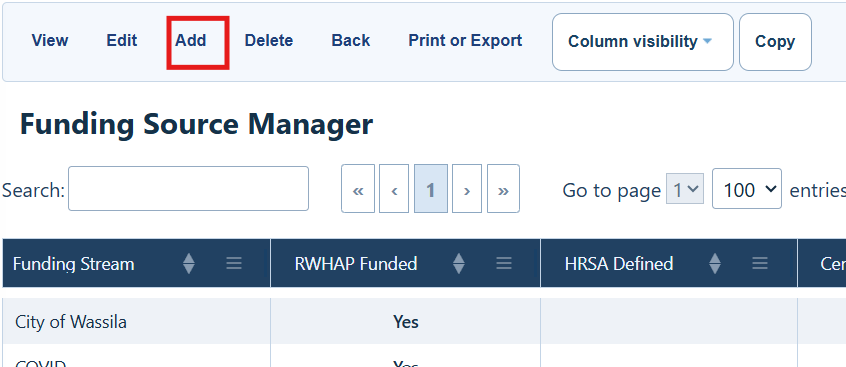
Funding Source Manager actions
|
Action
|
What it does
|
|
View
|
View details for the selected funding source.
|
|
Edit
|
Edit details for the selected funding source.
|
|
Add
|
Add a new funding source.
|
|
Delete
|
Delete an existing funding source.
|
|
Back
|
Return to the Service – Contract Setup menu.
|
|
Print or Export
|
Print or export the funding-source list.
|
|
Column Visibility
|
Choose which columns appear in the list.
|
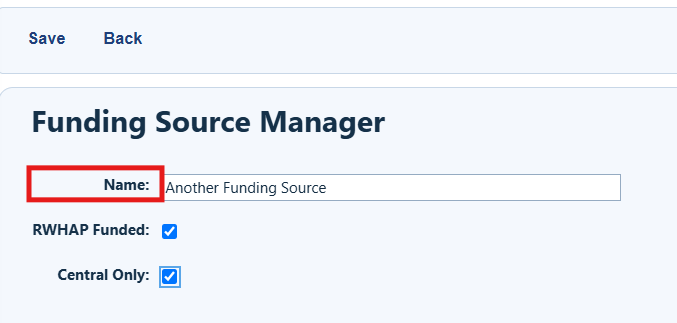
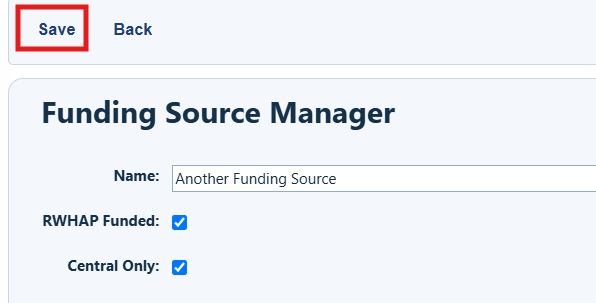
Step 5. Enter a name for the new funding source.
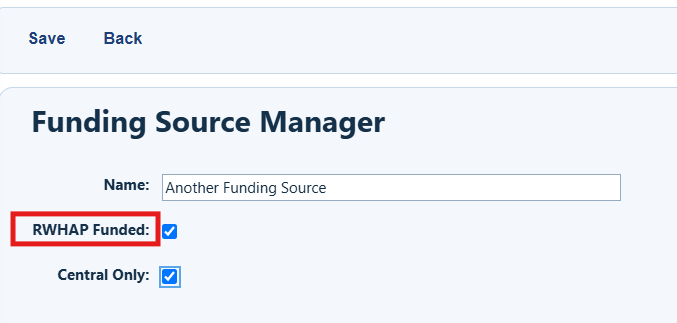
Step 6. Select RWHAP Funded when the source should be treated as RWHAP funding. When selected, associated contracts count for the RSR, ADR, and Triannual EHE Report, and the provider is considered funded by Ryan White, Ryan White-related, or EHE Initiative funds.
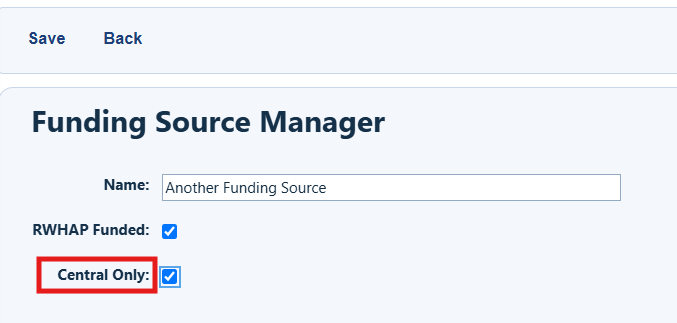
Step 7. Select Central Only to restrict edits to Central Administration. Users signed in to provider domains cannot edit the funding source details.
|
Provider-domain note
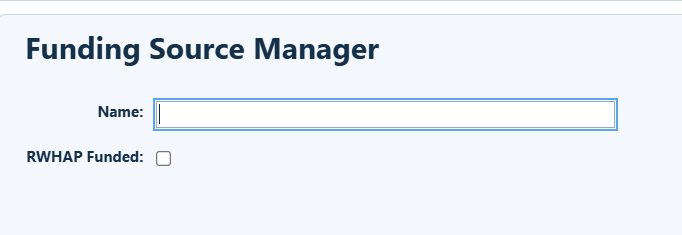
Note that the Central Only option is not included in provider domains.
|
Step 8. Click Save.
Using Custom Funding Sources for CAREWare Contracts
Once a new funding source is added to the list, it can be activated for a contract. Only funding sources active for a contract appear as an option when adding an eligibility status record to a client.
|
Next step
After adding the funding source, activate it for the appropriate contract. Only funding sources active for a contract appear when adding an eligibility status record to a client.
|
How to confirm it worked
• Confirm the funding source name is clear and distinct.
• Confirm whether the source should be counted as RWHAP funding.
• Confirm whether provider-domain users may edit the source.
• Review the contract date span and active services before users enter client services.
Related References
|
Document
|
Use it for
|
|
Contract Manager
|
Set up contracts for adding services in client records.
|
|
RSR Documents
|
Documents for the RSR, such as location of fields in CAREWare.
|


