


|
|
|
|
|
|
|
|
|
|
|
|
Quick path
Find or open client > Demographics > Contact Information
Before you begin
• Open the correct client record and confirm the client’s identity before making changes.
• Have the client’s current address, mailing address, and phone information available.
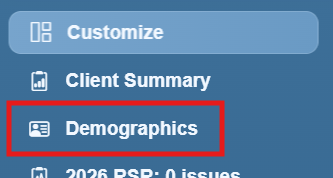
Step 1. Click Demographics in the left menu.
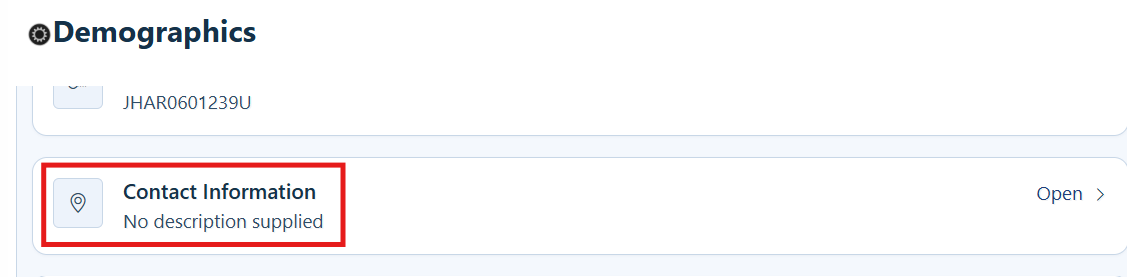
Step 2. Click Contact Information.
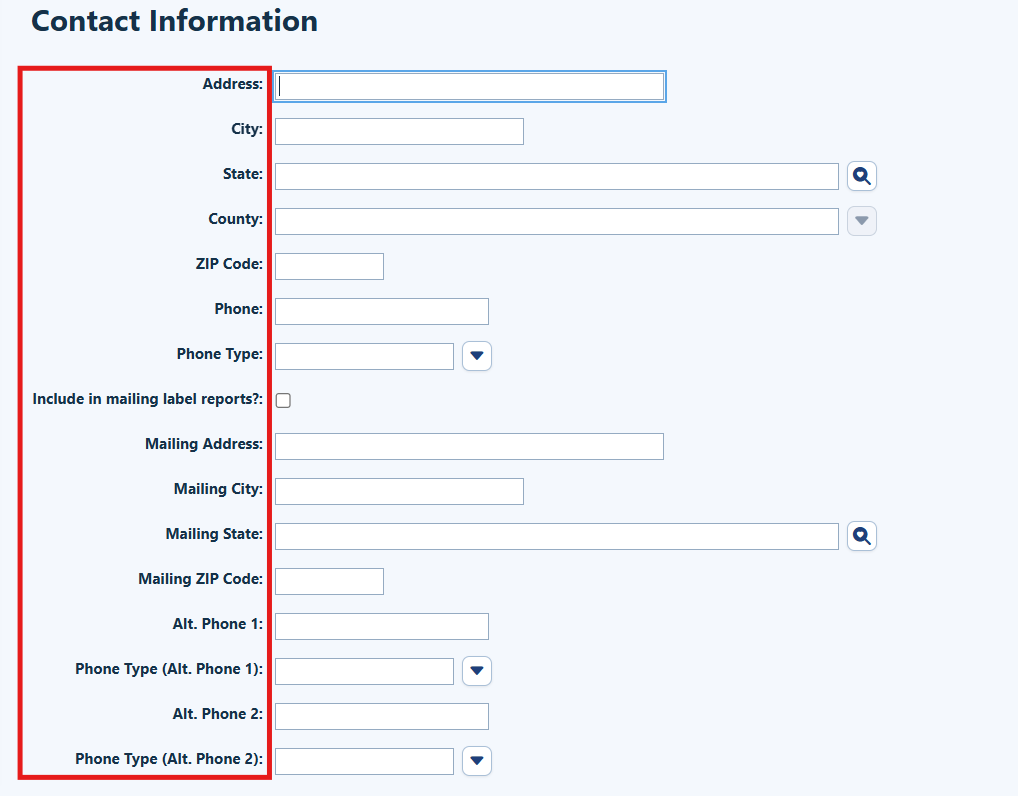
Step 3: Enter or revise the applicable street address, city, state, county, ZIP code, phone number, phone type, mailing address, and alternate phone fields.
|
|
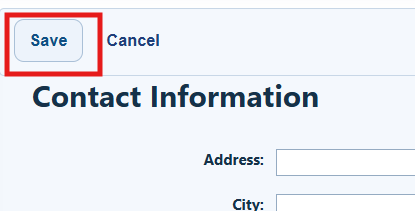
Step 4. Click Save.
How to confirm it worked
- Reopen Contact Information and confirm the updated values appear.
- If mailing labels are used, confirm the inclusion box reflects the client’s preference.
Troubleshooting and common questions
Why is the client missing from the Mailing Labels Report?
Confirm that “Include in mailing label reports?” is checked and that the contact information was saved.
What if the mailing address is different from the street address?
Enter the street address and mailing address in their separate fields. Do not overwrite the street address with a mailing-only address.
What if the client has more than one phone number?
Enter the primary phone number first, then use the alternate phone fields and select the appropriate phone type for each number.
Related References
|
|
|
|
|
|
|
|
|


