


|
|
|
|
|
|
|
|
|
|
|
|
|
|
Before you begin
- Use the client's self-reported race and ethnicity.
- Confirm whether any required race or ethnicity subgroups apply.
- Race and ethnicity are required for the Ryan White Services Report (RSR) and the ADAP Data Report (ADR).
Ethnicity and Race Reporting Requirements
HRSA defines the race and ethnicity data required for the RSR and ADR. Ethnicity reporting identifies whether the client self-reports as Hispanic or Latino.
The RSR race groups are:
- American Indian or Alaska Native
- Asian
- Black or African American
- Native Hawaiian or Other Pacific Islander
- White
If the HRSA-defined race group is uncertain, consult the current RSR or ADR instruction manual for the definition of each group.
Ethnicity and Race Subgroups in CAREWare
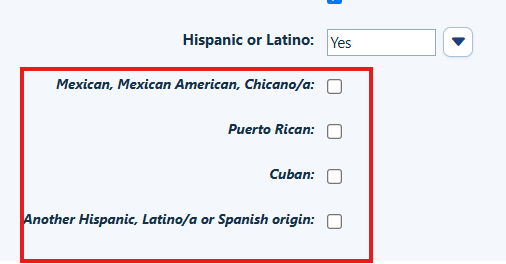
When a client self-reports as Hispanic, CAREWare includes the following ethnicity subgroups:
- Mexican, Mexican American, Chicano/a
- Puerto Rican
- Cuban
- Another Hispanic, Latino/a, or Spanish origin
Asian and Native Hawaiian or Other Pacific Islander also include reportable race subgroups.
|
|
|
How to Add Race and Ethnicity to Client Records
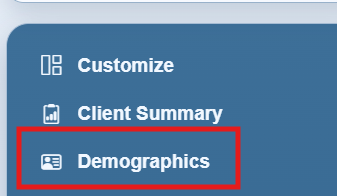
Step 1. In the client record, click Demographics in the left menu.
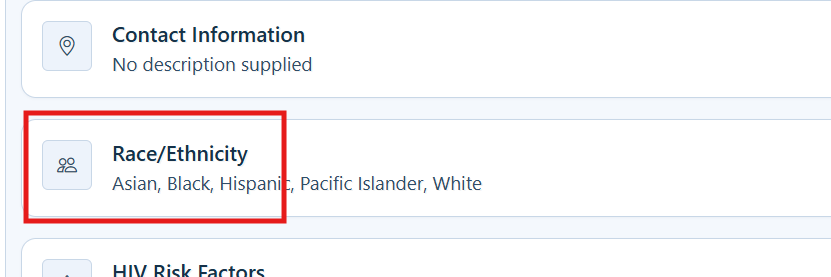
Step 2. Click Race/Ethnicity.
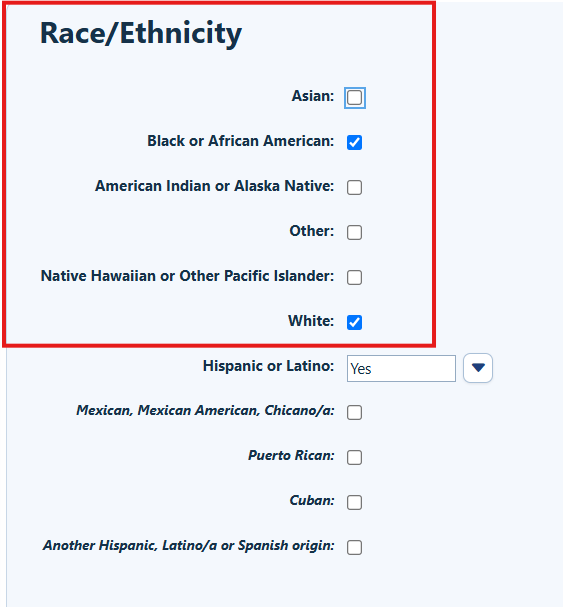
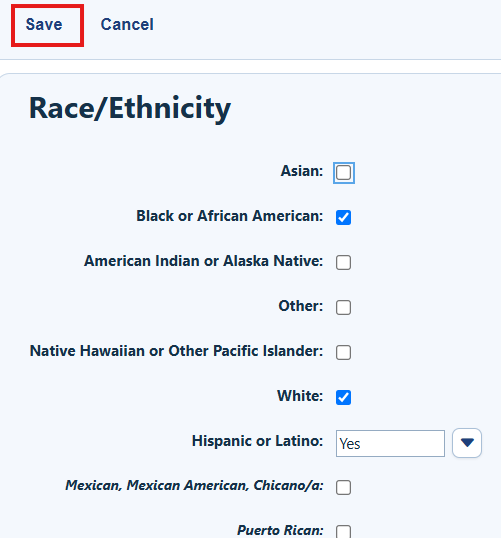
Step 3. Check the boxes for all of the client's self-reported race groups and race subgroups, if applicable.
Step 4. Select Yes or No from the Hispanic or Latino dropdown.
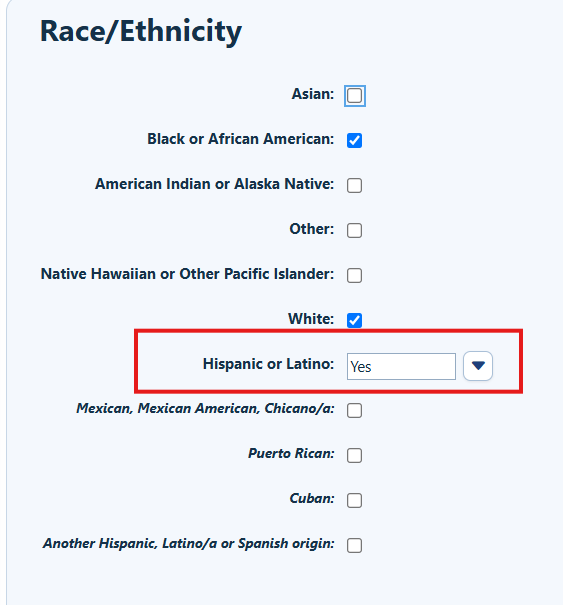
Step 5. If the client self-reports as Hispanic, check all applicable ethnicity subgroup boxes.
Step 6. Click Save.
How to confirm it worked
- The selected race group or groups remain checked after the record is saved.
- Applicable race subgroups remain selected.
- The client’s race and ethnicity values appear in the Demographics menu under Race/Ethnicity.
Troubleshooting and common questions
Can more than one race be selected?
Yes, when the client self-reports more than one race, select all applicable race groups and subgroups.
Related References
|
|
|
|
|
|
|
|
|


