

Federal Poverty Guidelines

|
Purpose |
Review and maintain federal poverty level (FPL) guideline records used in CAREWare poverty-level calculations. |
|
Who should do this |
CAREWare administrators and authorized data managers. |
|
Use this setup when |
Reviewing annual FPL values, uploading guideline records, or checking Common Storage Settings. |
|
Main warning |
Confirm the guideline year and jurisdiction before importing or changing values; incorrect settings can affect income percentages and reporting. |
|
Video walkthrough |
Quick path
|
Central Administration > Administrative Options > Federal Poverty Guidelines |
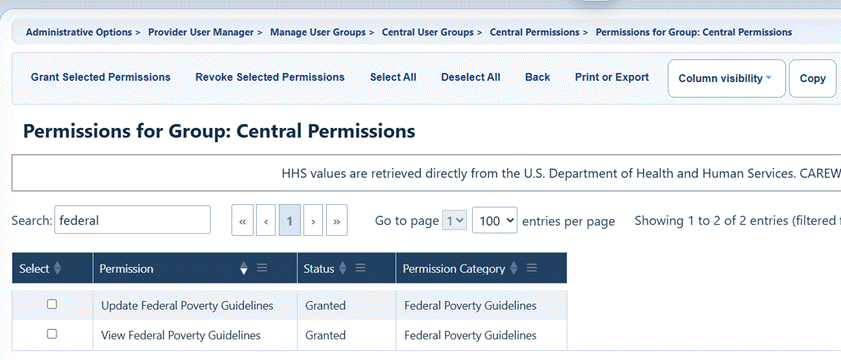
Before you begin, ensure users have necessary permissions
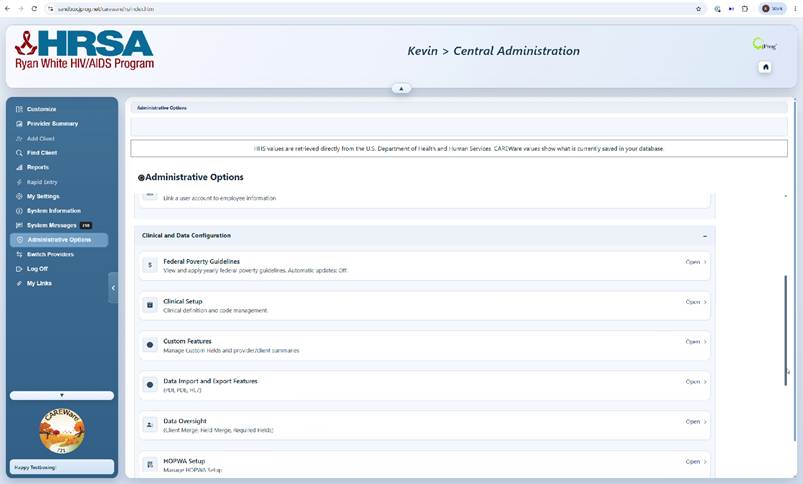
 Open Federal Poverty Level Guidelines
Step 1. Sign in to Central Administration and click Administrative Options.
Step 2. Under Client and Data Configuration, click Federal Poverty Guidelines.
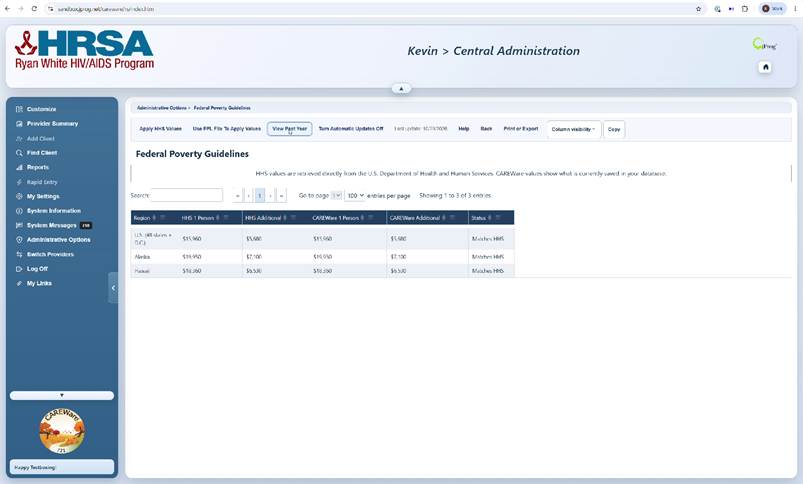
Review guideline records
Step 3. Review the guideline table, including the year, base household amount, additional-person increment, and jurisdiction where displayed.
Step 4. Select a record to inspect it before making changes.
|
Tip |
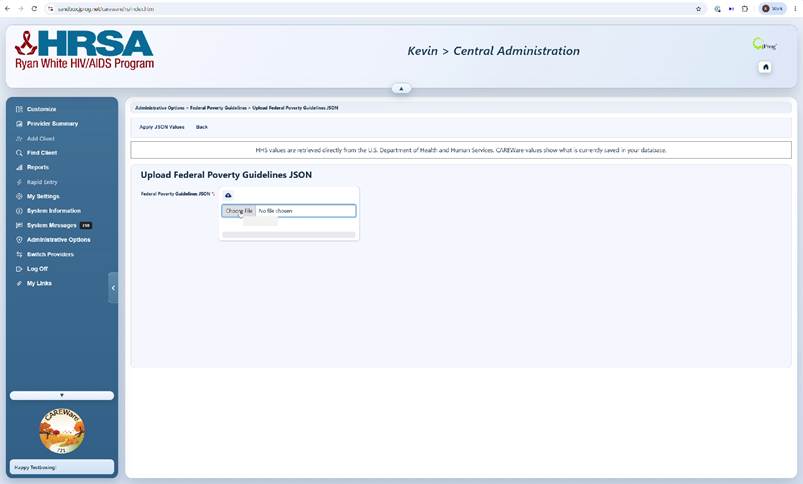
Manually upload guideline data
Step 5. Click Upload FPL Guidelines (JSON) to open the upload screen.
Step 6. Choose the approved JSON guideline file and submit it using the upload control. Review the resulting guideline list for the intended year and values.
|
Important |
Common Storage Settings
Step 7. Return to Administrative Options
Step 8. Click Server Managerment
Step 9 Open Common Storage Values.
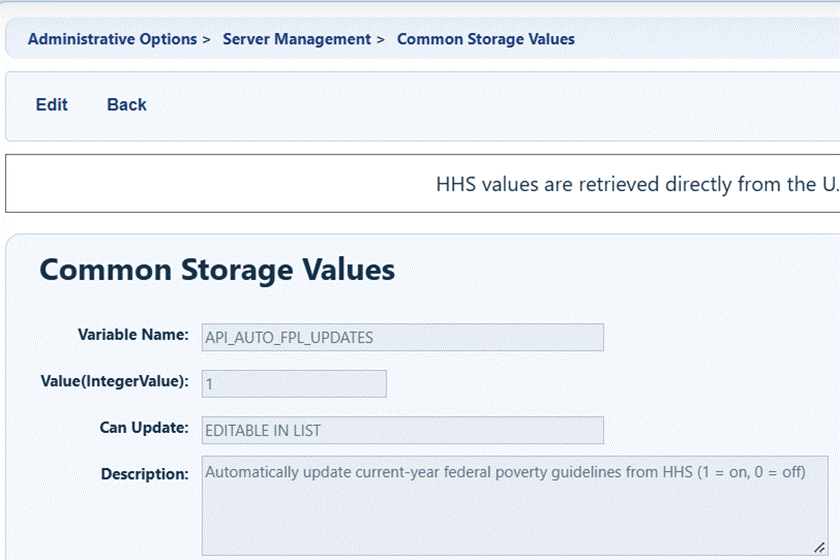
Step 10. Find the setting API_AUTO_FPL_UPDATES.
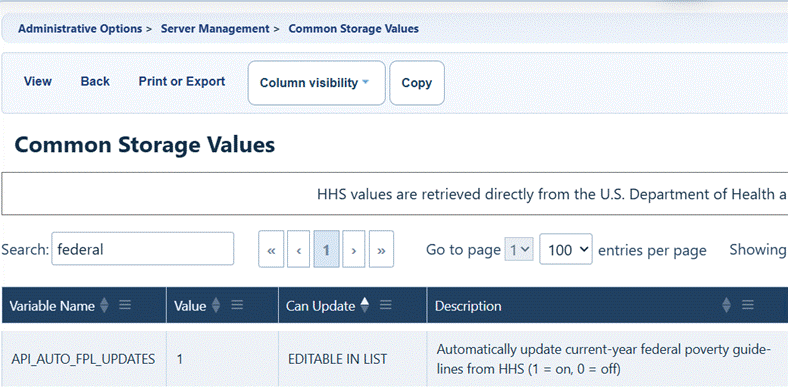
Step 11. Change the value for that setting to a 1 to set CAREWare to automatically update FPL using Federal Guidelines from HHS.
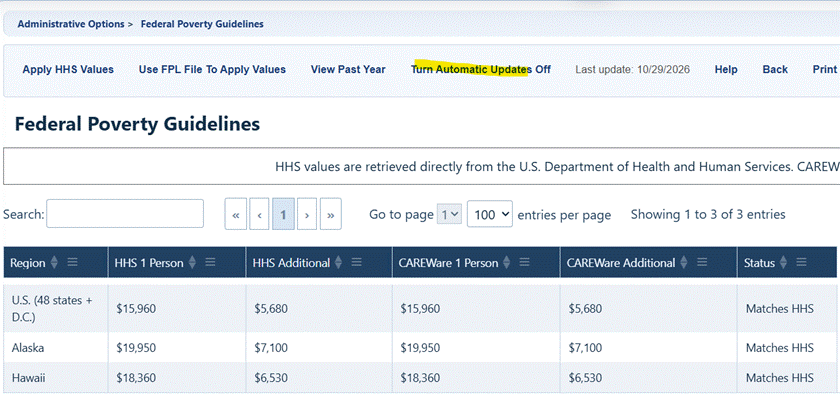
This setting can also be adjusted in the Federal Poverty Guidelines screen by clicking Turn Automatic Updates On or Off.
 Confirm the guidelines are available
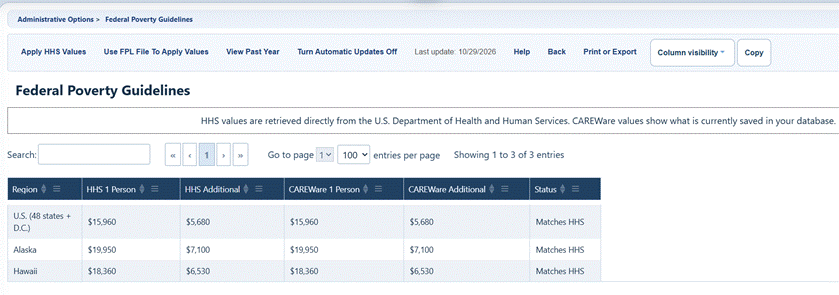
Step 12. Reopen Federal Poverty Guidelines and confirm the intended year and amounts are listed.
Step 13. Review a test client’s Annual Review > Poverty Level Assessments to confirm household income, household size, assessment date, and calculated percentage are consistent with the applicable guideline year.
Key controls
|
Button or setting |
What it does |
When to use it |
|
Apply HHS Values |
Updates client poverty level records |
Used to update client records after guidelines were changed |
|
Use FPL File to Apply Values |
Opens the JSON upload screen. |
Load approved guideline data manually |
|
View Past Year/Current Year |
Sets the list of FPL guidelines to this year or last year |
Review changes to FPL calculations by year |
|
Turn Automatic Updates On/Off |
Enables or disables automatic updates |
CAREWare admins can choose to get automatic updates or manually change the calculations when ready |
|
Last Update |
Show date of last change to FPL calculations |
Read only field showing the date |
|
Help |
Link to FAQ page for this feature |
Opens FAQ page for this guide |
|
Back |
Returns to previous screen |
To return to Administrative Options |
|
Print or Export |
Displays print options for list |
To print one page or all pages from a list in a few formats |
|
Custom Visibility |
Displays column options for page |
To adjust which columns are visible |
Troubleshooting and common questions
- Button missing or greyed out? Review central user-group permissions, provider permissions where applicable, and whether the account is in Central Administration.
- Guideline year missing? Confirm the upload file includes that year and review the guideline list after import.
- Calculated percentage seems incorrect? Verify assessment date, household size, household income, guideline year, and jurisdiction. Escalate unexpected differences before changing production data.
Related CAREWare guides and resources
|
Resource |
How it helps |
|
Grant permissions through central or provider groups. |
|
|
Review missing poverty level assessments for RSR data quality. |
|
|
Instructions for entering or editing client poverty level records |
|
|
Server level settings, in which some can be manually updated in the user interface and others need to be updated in the CW Admin business tier application with a restart of CAREWare |


