You are using an unsupported browser. Please update your browser to the latest version on or before July 31, 2020.
close
You are viewing the article in preview mode. It is not live at the moment.
IMPORTANT: Upcoming Changes in CAREWare > Learn More
Home > Client Records > Vital and Enrollment Status
Vital and Enrollment Status
print icon
 

Purpose

Track a client’s vital status and agency enrollment status for demographics and reporting, including the Ryan White Services Report (RSR).

Who should do this

CAREWare users who enter or maintain client demographic information.

Use this guide when you need to

Add or update enrollment dates, enrollment status, vital status, case-closed dates, or dates of death.

Main distinction

Enrollment status records the client’s original agency enrollment. Ryan White Eligibility records periodic eligibility reviews.


Quick path

Client record > Demographics > Vital and Enrollment Status

Before you begin

Enrollment Date should remain the client’s original enrollment date, even if the client leaves and later returns.

Add a new Ryan White Eligibility record whenever the client re-certifies for services.

Add vital and enrollment status

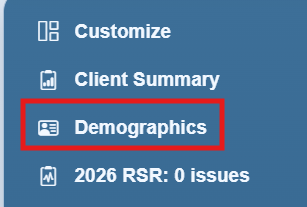
Step 1. Click Demographics in the left-hand menu.
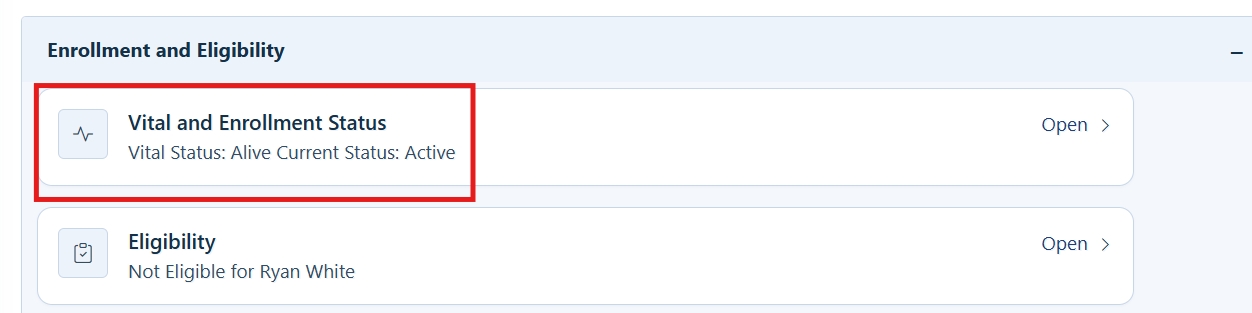
Step 2. Click Vital and Enrollment Status.
 

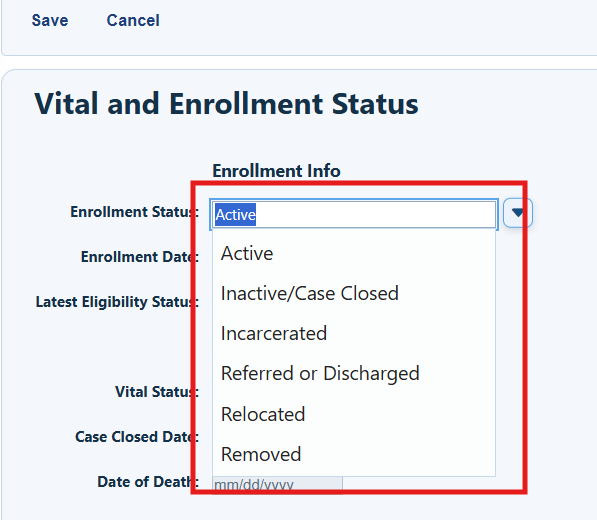
Step 3. Choose the client’s enrollment status from the dropdown list. Options are Active, Inactive/Case Closed, Incarcerated, Referred or Discharged, Relocated, and Removed.
RSR and ADR fields

Enrollment Date: RSR Q.76 — New client

Vital Status: RSR Q.2 — Client’s vital status at the end of the reporting period

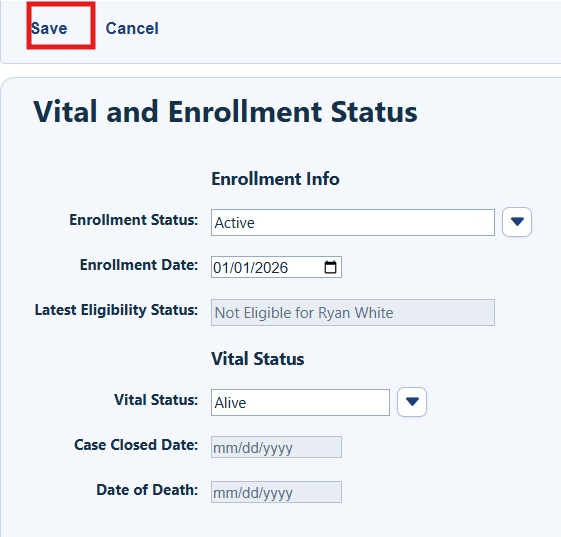
Save saves changes. Cancel returns to the Demographics menu.

Step 4. Complete the Enrollment Date and the Vital Status fields.
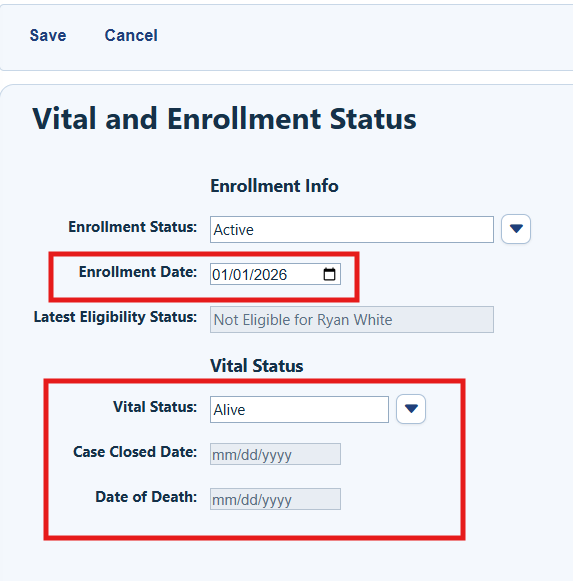
   

Note: Last Eligibility Status is automatically updated from data in the Eligibility tab.


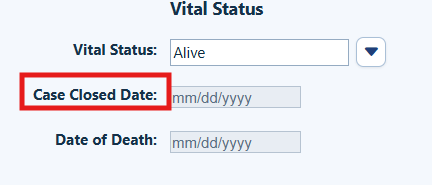
Step 5. Complete the Case Closed Date if Enrollment Status is Inactive/Case Closed, Incarcerated, Referred or Discharged, Relocated, or Removed.
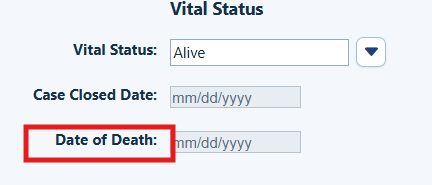
Step 6. Complete the Date of Death field if Vital Status is Deceased.
Step 8. Click Save.
Using imports to update vital and enrollment status

CAREWare features data import options that can be used to update vital and enrollment status in client records.


Related References

Document

Use it for

Eligibility

Add Ryan White Eligibility records for the client.

Importing Data into CAREWare

Methods for importing data into CAREWare.


Feedback
0 out of 0 found this helpful

Attachments

CAREWare_User_Guide__Vital_and_Enrollment_Status.pdf
scroll to top icon