Author: Jennifer Eggerton
Last updated: Jul 27, 2026
 793
views
793
views
| |
|
Purpose
|
Document a client’s medical insurance so staff can meet Ryan White payor-of-last-resort requirements and complete required reporting for the RSR and ADR.
|
|
Who should do this
|
CAREWare case managers, medical staff, and other users who maintain annual client information.
|
|
Use this guide when you need to
|
Add an insurance assessment to identify primary and secondary health coverage.
|
|
Main distinction
|
CAREWare allows one primary insurance and multiple secondary insurances for each assessment.
|
|
Quick path
Client record > Annual Review > Insurance Assessments > Add
|
Before you begin
• Identify all health insurances for the client, including which insurance serves at the primary source of healthcare coverage.
• HRSA-defined insurance types are built into CAREWare. Custom insurance types can be added through Insurance Setup in Central Administration.
Add an insurance assessment
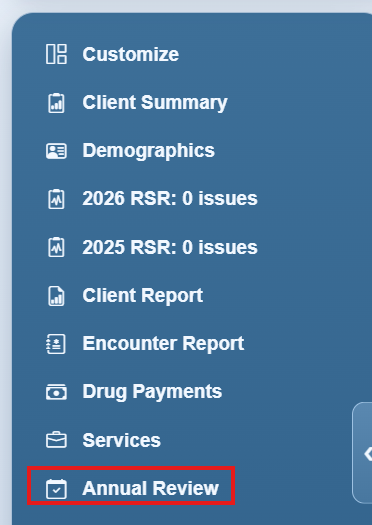
Step 1. Click Annual Review in the left-hand menu.
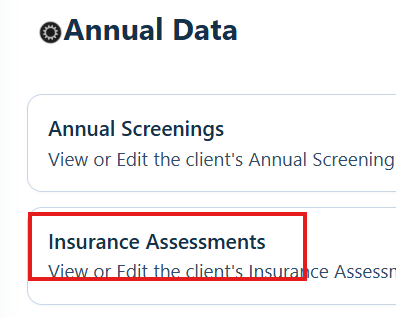
Step 2. Click Insurance Assessments.
Step 3. Click Add.
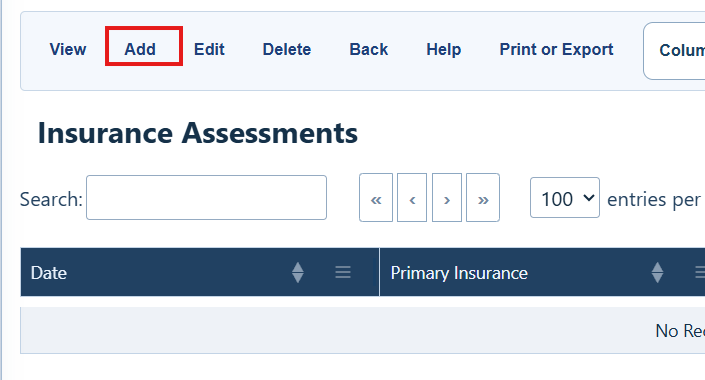
Insurance Assessments buttons
Use these commands to manage assessment records.
|
Item
|
What it does
|
|
View
|
Open the selected record.
|
|
Add
|
Create an insurance assessment record.
|
|
Edit
|
Change the selected assessment.
|
|
Delete
|
Remove the selected assessment.
|
|
Back
|
Return to the Annual Data menu.
|
|
Help
|
Open this user guide for Insurance Assessments.
|
|
Print or Export
|
Print or export the insurance assessment list.
|
| Column Visibility |
Choose columns shown in the list.
|
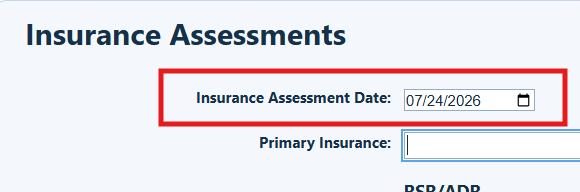
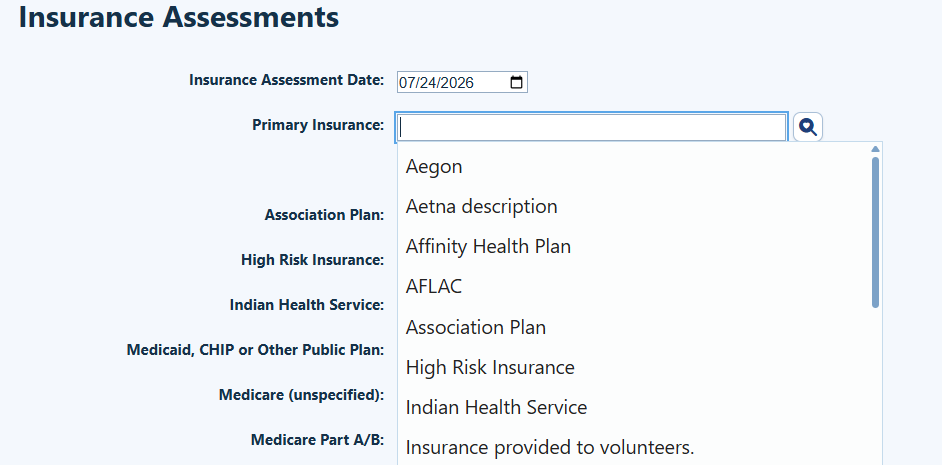
Step 4. Complete the Insurance Assessment Date.
Step 5. Select the client’s primary insurance from the dropdown list.
|
Reporting note
Other Plan is reported as “Unknown” on the RSR.
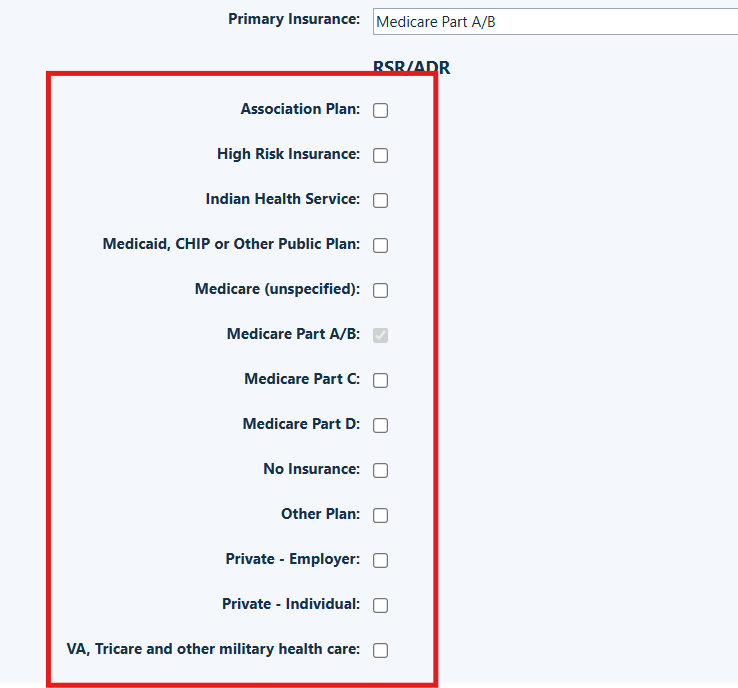
Insurance Assessment Date, Primary Insurance, and secondary insurances complete RSR Q.15 (client health coverage) and ADR Q.13 (client health insurance).
|
Step 6. Check the boxes for all secondary insurances for the client.
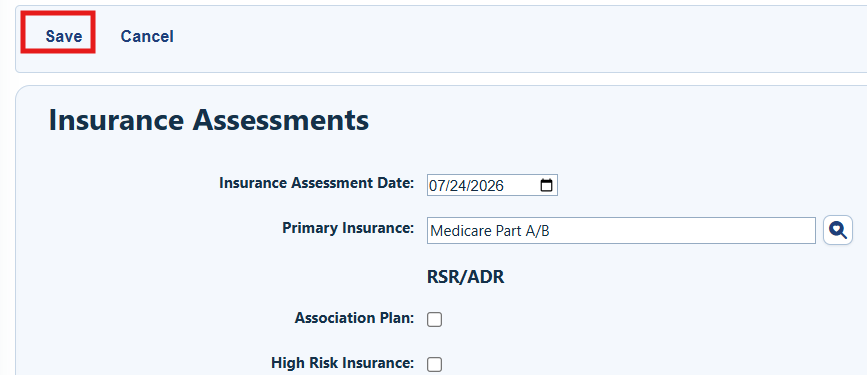
Step 7. Click Save.
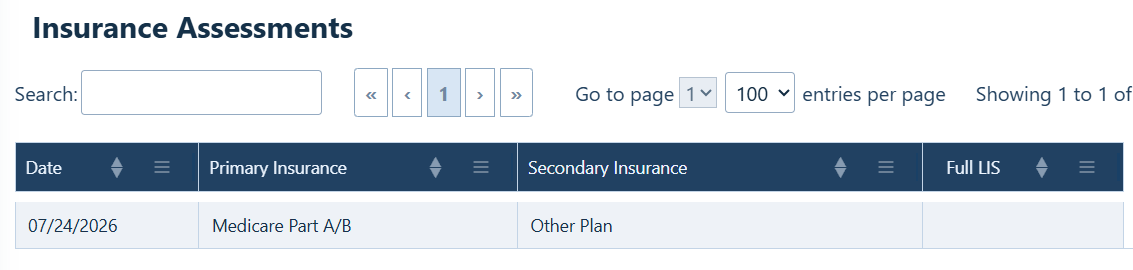
How to confirm it worked
The new assessment appears in the Insurance Assessments list with its date and coverage information.
Troubleshooting and common questions
What if a client’s insurance is not listed?
Use the Insurance Setup feature in CAREWare to add custom insurance types. Please note that custom insurance types are not reported on the RSR or ADR.
Related References
|
Document
|
Use it for
|
|
RSR Documents
|
RSR documents, such as location of RSR fields in CAREWare.
|
|
ADR Documents
|
ADR documents, such as location of ADR fields in CAREWare.
|
|
Insurance Setup
|
Add custom insurance types to CAREWare. Please note that these values are not reported on the RSR or ADR.
|


