

Vital Signs

Last updated: Jul 29, 2026
580
views

|
|
|
|
|
|
|
|
|
|
|
|
|
|
What Vital Signs tracks
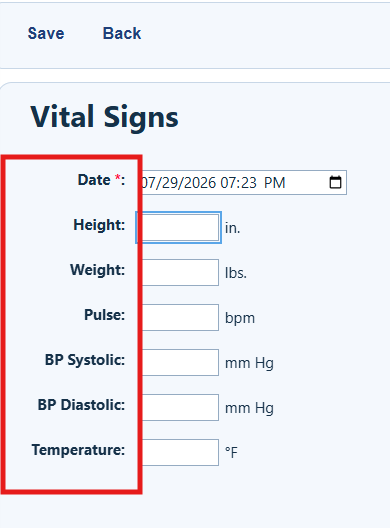
The Vital Signs tab in client records includes fields for tracking:
- Height (in.)
- Weight (lbs.)
- Pulse (bpm)
- BP Systolic (mm Hg)
- BP Diastolic (mm Hg)
- Temperature (°F)
- BMI (kg/m²) – automatically calculated based on height and weight
Add vital signs to a client record
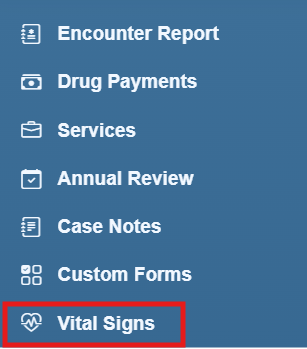
Step 1. Click Vital Signs.
Step 2. Click Add.
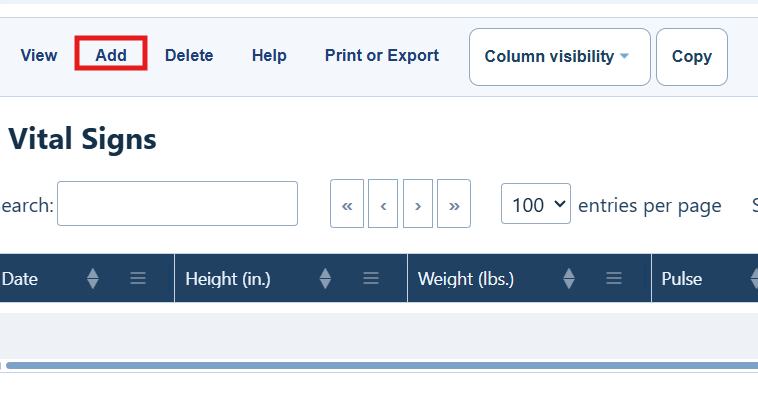
Vital Signs Menu Options
|
|
|
|
|
|
|
|
|
|
|
|
|
|
|
|
|
|
Step 3. Complete the fields for vital signs.
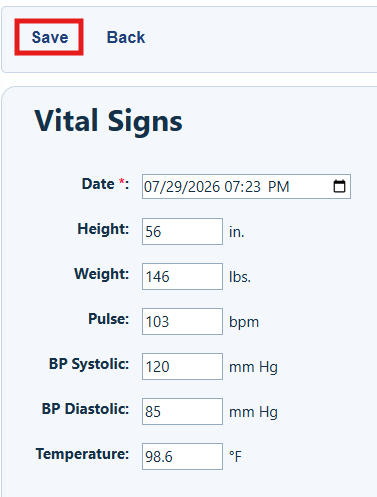
Step 4. Click Save.
|
|
How to confirm it worked
- The expected client record shows in the list of vital signs records.
- BMI auto-calculates when height and weight are entered
Troubleshooting and common questions
Why does BMI not auto-calculate?
Verify that height and weight are entered.
Does the record need to include all the vital sign values?
Users can add one or more vital signs in a record.


