


|
|
|
|
|
|
|
|
|
|
|
|
|
|
Medications Used for Reporting
The medication date, name, and indication are used for Question 52, Client Prescribed ART, on the RSR. The same information is used for Prescribed ART in the Reporting Period on the EHE Triannual Report.
Before You Begin
Medications must be added to CAREWare and set to active before staff can use them in client records. Each provider domain has its own medication list. Staff can update the list in Central Administration or in the provider domain.
|
|
Start a Medication in CAREWare
Step 1. Open the client record. Select Medications from the left menu.

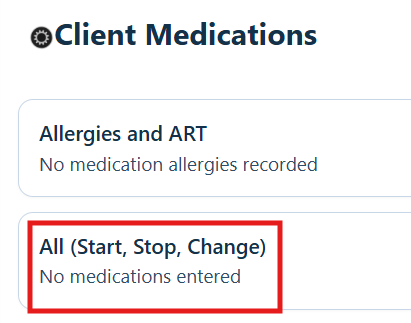
Step 2. Select All (Start, Stop, Change).
Step 3. Select Start.
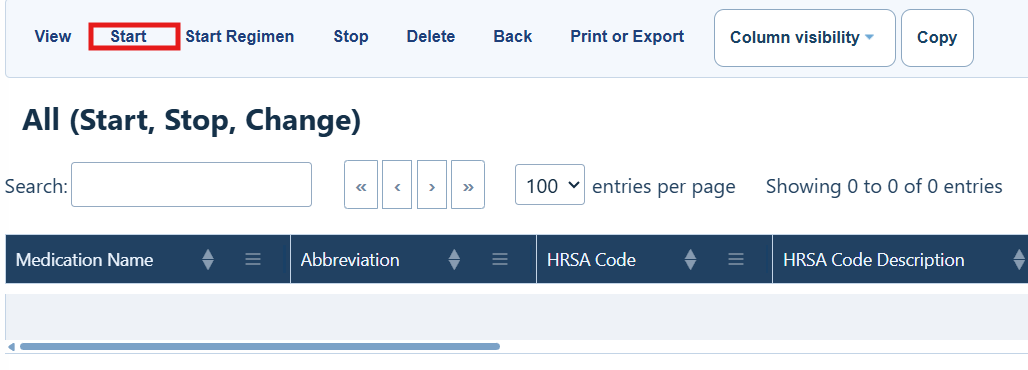
Medications Menu Buttons
|
|
|
|
|
|
|
|
|
|
|
|
|
|
|
|
|
|
|
|
|
|
|
|
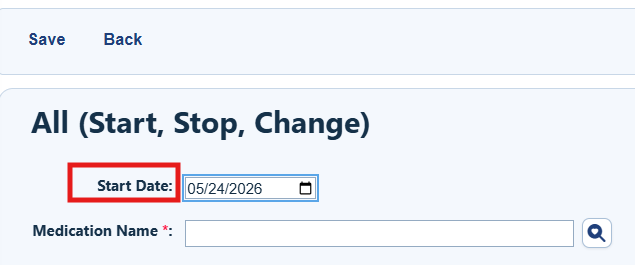
Step 4. Enter the medication start date.
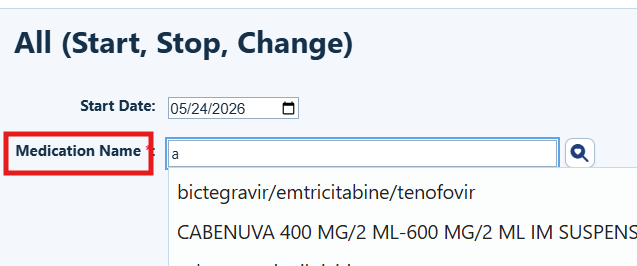
Step 5. Choose the medication name from the list.
|
|
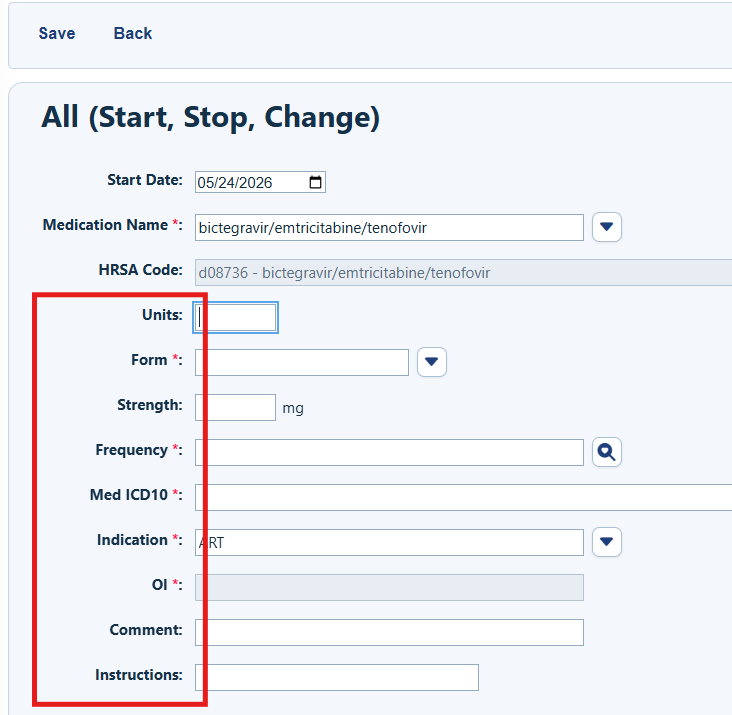
Step 6. Enter the number of units, form, strength, frequency, indication, OI (for OI prophylaxis), comment, and instructions for the medication.
|
|
|
|
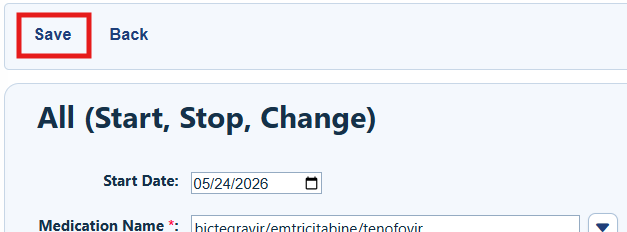
Step 12. Select Save.
Stop a Medication
Step 1. Select the medication. Then select Stop.
Step 2. Enter the end date.
Step 3. Choose the reason the medication was stopped.
Step 4. Select the checkbox beside the medication name.
Step 5. Select Save.
Correct a Medication Record
Use this process to fix a data entry error or update clinical information in an existing medication record.
Step 1. Select the medication. Then select View.
Step 2. Select Correct Data Error.
Step 3. Correct the start date, medication name, units, form, strength, frequency, indication, end date, discontinuation reason, or other fields as needed.
Step 4. Select Save.
Change a Medication Dose
Step 1. Select the medication from the list. Then select View.
Step 2. Select Change Dose.
Step 3. Enter the new units, new strength in milligrams, and new frequency.
Step 4. Select Save.
Medication Regimens
Medication regimens make it faster to enter several HIV medications for one client. This feature is also used to add Genvoya and other tenofovir medications.
Step 1. Select Start Regimen from the client’s medication list.
Step 2. Choose the regimen. Then select Next.
Step 3. Enter the start date. Then select Save.
How to Confirm It Worked
• The medication appears in the client’s medication list.
• The start date, dose, frequency, and indication are correct.
• A stopped medication shows the correct end date and discontinuation reason.
Troubleshooting and Common Questions
Why is the medication missing from the list?
The medication may not be active in the provider domain. Ask an administrator to check the medication list.
Why can’t I see all medication fields?
Choose a medication name first. The remaining fields appear after you make that selection.
Why is the indication important?
CAREWare uses the indication to identify ART and OI-related medications for required reports and measures.
Related References
|
|
|
|
|
|
|
|
|


