

Restoring SQL PDI Functionality After Migrating CAREWare

|
|
|
|
|
|
|
|
|
|
|
|
|
|
Before you begin
- Confirm whether cw_pdi exists and whether it contains the correct PDI table structure.
- Back up relevant databases before deleting or recreating anything.
- Coordinate with the DBA responsible for SQL Server logins and database ownership.
|
|
Restore SQL PDI safely
1. Verify whether cw_pdi exists in the CAREWare SQL Server Database Instance.
2. If cw_pdi is missing, verify in Common Storage Values if SQLPDICreated is 0 or 1.
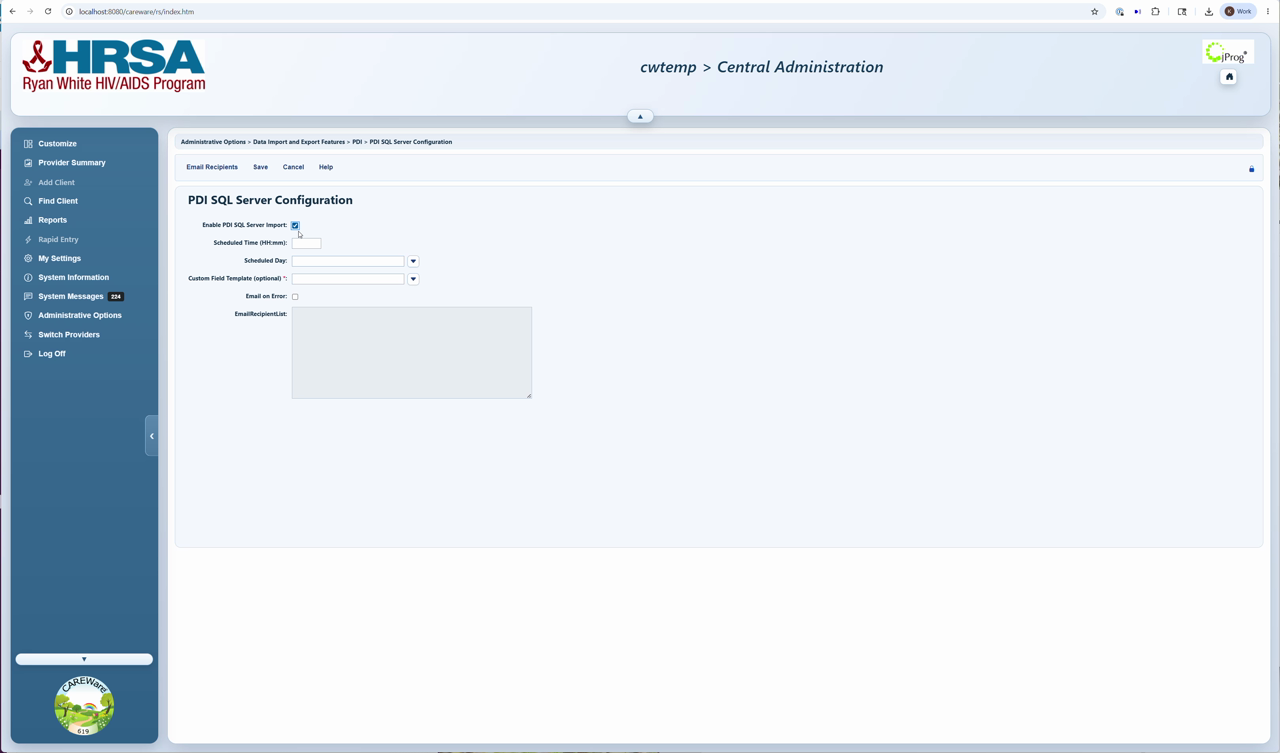
3. If cw_pdi is missing and SQLPDICreated is 0, then enable SQL Server Imports in CAREWare to create the database and database connection string.
4. Verify cw_pdi exists again.
5. If cw_pdi exists, Stop the CAREWare Business Tier.
6. Restore the database from the backup if it does.
7. Return to Server Settings and start the server.
If cw_pdi was missing and SQLPDICreated was 1, change that setting to 0 under Common Storage Settings.
1. Use CW Admin to access Common Storage Values.
2. Set the setting SQLPDICreated to 0.
3. Click another field to save.
4. Click Server Settings.
5. Verify cw_pdi exists again.
6. Restore the database from the backup if it does.
7. Return to Server Settings and start the server.
After the restore
- Confirm the cw_pdi database is present and has the expected tables.
- Confirm the SQL login exists and is the DBO of cw_pdi.
- Run a test SQL import and review Import History.
- If errors persist, review the connection string and system logs.
How to confirm it worked
1. cw_pdi exists with the expected table structure.
2. The Provider Data Import button works.
3. There are no longer errors in the SQL Server Import setup.
4. A test import appears in Import History.
Troubleshooting and common questions
Why reset SQLServerPDICreated?
CAREWare may think it already created cw_pdi on another server. Resetting the value allows the setup process to occur again
What if cw_pdi has data?
Stop and work with the DBA. Preserve needed data by creating a backup. If this data is on the old server, copy the backup file to the new server for restoration.
We thought we used SQL Server Imports on the old server, however we did not and now the Provider Data Import no longer works.
The SQLPDICreated setting can just be set to 0 to disable the SQL Server Imports, without fixing the configuration or database to turn it off. The instructions in this guide can always be used to restore that function later.
Related guides
SQL Server Import | Import Settings | Importing Data into CAREWare | Import History | CW Admin


